CSV to PDF Table Converter (Local & Unicode-Ready)
Drop a .csv or .tsv file or paste tabular data to build a crisp, paginated PDF with repeated column headers and zero server uploads.
Exporting a CSV file to PDF through Excel or Google Sheets works well when you have time to adjust column widths, repeat header rows, fix awkward page breaks, and switch to landscape mode by hand. When you just need to turn a Stripe payout export, database query result, or inventory sheet into a readable PDF table in ten seconds, manual spreadsheet print setup gets old fast.
Online CSV to PDF sites promise a one-click shortcut, but they require you to upload raw customer lists, payroll exports, or accounting ledgers to someone else’s server. Even worse, many free web converters break on quoted commas, choke on European semicolon-delimited CSVs, or turn Chinese, Japanese, Korean, and accented characters into broken question marks.
This tool parses RFC 4180 CSV and TSV data locally inside your browser, automatically detects the delimiter (comma, semicolon, tab, or pipe), calculates proportional column widths, wraps long cells cleanly, and exports a paginated PDF with repeated dark table headers and zebra-striped rows. Standard Latin text renders as sharp selectable vector PDF via a background Web Worker, and Unicode or CJK data automatically uses our high-DPI local canvas renderer so every character prints accurately.
How to convert CSV to a formatted PDF table
- Drag and drop a .csv or .tsv file into the upload zone, click to browse your device, or paste CSV text directly into the editor (you can also click Load Sample to test immediately).
- Confirm the detected column and row counts in the status bar. Keep Delimiter on Auto-detect or manually pick Comma, Semicolon, Tab, or Pipe.
- Toggle "First row is table header" to style the top row as a bold dark header that repeats automatically at the top of every new PDF page.
- Choose Paper Size (US Letter or A4), Orientation (Auto switches to Landscape automatically when your table has 6 or more columns), and Font Size (8 to 11 pt).
- Click Convert CSV to PDF. Your browser builds the multi-page PDF locally and starts an instant download, with one-click handoff to Compress PDF or Resize Pages.
How proportional column sizing, pagination, and Unicode rendering work
Splitting a CSV file on commas with String.split(",") fails the moment a company name contains a comma (such as "Acme Corp, Inc.") or a notes cell spans multiple lines. Our parser follows RFC 4180 quoting rules, handling double-quoted fields, escaped quotes (""), embedded line breaks, and UTF-8 byte order marks (BOM) cleanly before layout even starts.
Before drawing a single cell, the layout engine samples the header row and the first batch of data rows to measure relative character lengths per column. It assigns proportional column widths while enforcing a sensible minimum column floor so short ID or status columns do not hog space and long description columns get room to breathe. Any cell text wider than its column wraps cleanly onto multiple lines, and the row height expands to fit the tallest cell in that row.
Pagination happens row by row. Whenever the next row would cross the bottom margin, the engine starts a new page, redraws the dark header row at the top so readers never lose track of which column is which, and continues alternating light slate zebra striping. Every page receives a clean "Page X of Y" footer in the bottom-right corner.
Because pdf-lib built-in StandardFonts cover WinAnsi (English and Western European accents like German äöüß and French éèêç) but cannot encode CJK ideographs, Cyrillic, Arabic, or emoji directly without bundling multi-megabyte font files, the controller checks the text encoding automatically. Pure Latin and European CSVs render inside pdf-js.worker.ts as ultra-lightweight selectable vector PDFs. If CJK or other non-WinAnsi Unicode characters are present, the browser renders the exact same paginated table layout at 2x DPI using your device’s native system Unicode fonts and embeds the lossless PNG pages into the PDF via Transferable buffers.
Practical workflows for local CSV to PDF conversion
- Turning accounting exports, Stripe or PayPal settlement CSVs, and expense logs into clean PDF attachments for bookkeepers and auditors without uploading financial data.
- Converting European semicolon-separated (;) or database tab-separated (TSV) exports without re-importing them into Excel first.
- Packaging wide 8-to-12 column reports cleanly using Auto Landscape orientation and compact 8 pt or 9 pt typography.
- Sharing read-only price lists, event attendee rosters, or lab measurement tables that look identical on macOS, Windows, and mobile phones.
- Exporting multilingual CSV tables containing Chinese, Japanese, Korean, German, or French text without garbled glyphs.
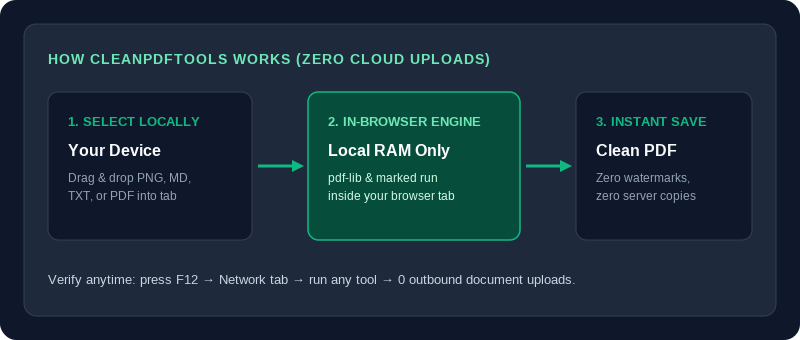
Financial exports, customer lists, and payroll CSVs never leave your browser RAM. Open DevTools (F12 -> Network tab) before clicking Convert to verify 0 outbound upload requests.
Frequently Asked Questions
Does this converter handle European CSV files that use semicolons instead of commas?
Yes. The default Auto-detect delimiter mode inspects the first several rows and automatically identifies commas (,), semicolons (;), tabs (TSV), or pipes (|). You can also pick a specific delimiter manually.
What happens if my CSV table spans multiple pages?
Rows paginate automatically without slicing a row in half across a page boundary. When "First row is table header" is checked, the header row repeats automatically at the top of every subsequent page, and each page is numbered in the footer.
Does it support Chinese, Japanese, Korean, or accented European characters?
Yes. Western European characters (such as äöüß and éèêç) render directly as selectable vector text. When Chinese, Japanese, Korean, or other Unicode scripts are detected, the tool automatically switches to a 2x DPI local Unicode renderer so every character appears cleanly with zero font downloads.
Why does Auto orientation switch some tables to Landscape?
Tables with 6 or more columns become cramped on Portrait paper. Auto orientation detects wide tables and switches to Landscape automatically, though you can override it to Portrait or Landscape anytime.
Are my CSV rows uploaded to a server for conversion?
No. Parsing, layout calculation, and PDF generation run 100% inside your browser tab and Web Worker. You can even go offline after loading the page and still convert CSV files.